LG CreateBoard 65TR3DK-B Collaboration Display
Product #:
ETLZ1081070040


 +12
+12View All


Sold Out
This product is sold out and we do not know when we will be getting another shipment. We apologize for any inconvenience this may cause.
Check similar items above to see if a replacement product is available.
Product Description
LG CreateBoard 65TR3DK-B Collaboration Display
65" - 16:9 Aspect Ratio - 3840 x 2160 - Direct LED - 350 Nit - 1,200:1 Contrast Ratio - USB - HDMI - VGA - Bluetooth - Android 13, Windows 10, Windows 8, Windows 7, Linux, Mac OS X
A New Level of Classroom with LG CreateBoard | Various Teaching Templates
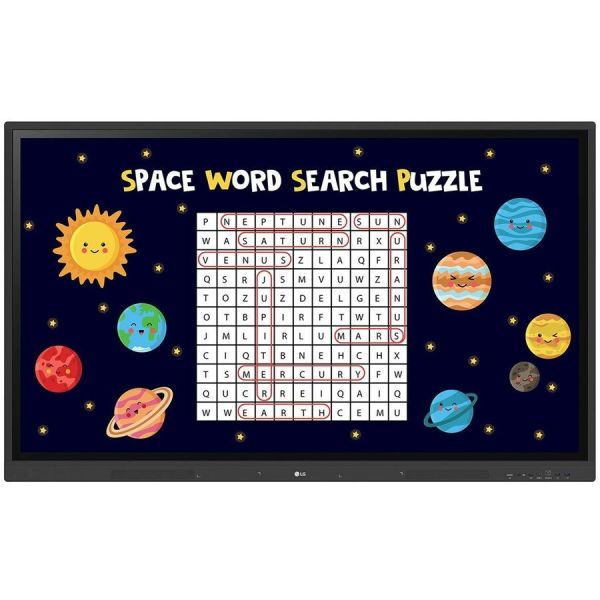
LG CreateBoard provides various templates and teaching tools, including a ruler, table, and sticky notes, helping promote active student engagement facilitating intuitive lessons. With LG CreateBoard, editing images and videos has become more accessible. It allows educators to share their created resources with others through QR codes.
Multi-touch
The LG CreateBoard can detect up to 40 touchpoints simultaneously, helping to create a realistic board touch experience for students. This multi-touch functionality helps students quickly become accustomed to the board, which may assist in maximising concentration and organic engagement during classroom sessions.
Easy to Save / Import / Export
LG CreateBoard has import and export functionality. Users can save and import resources directly to and from Google Drive or OneDrive. Files can also be imported from a USB drive, enabling users to browse resources saved on USB storage
Wireless ScreenShare
LG CreateBoard Share is a tool that allows users to display up to 9 shared screens or a file on a screen in real-time when the LG CreateBoard Share app is installed on their device. It also enables the host to send files to any devices connected to the LG CreateBoard Share app, and provides several quick controls for the host's convenience.
LG ConnectedCare DMS
LG ConnectedCare DMS is an optional cloud-based solution that enables remote monitoring, control, and management of LG CreateBoard devices installed in educational settings. With this feature, IT managers can operate and manage key resources on the devices without having to physically visit the sites.
ConnectedCare DMS Remote Control
Frequently used controls such as the power on/off, scheduling, brightness, and screen lock functions can be applied using a Remote Control Function over internet. Content including images, videos, audio messages, or live streaming can be remotely shared with connected devices.
Broadcasting / Alert Messaging
LG ConnectedCare DMS allows for the transmission of messages and other content from the main system to individual classroom devices.
Threshold Settings
Users can set thresholds in eight different categories, such as display temperature, memory usage, and signal strength, and receive warning or error notifications based on their threshold settings.
Monitoring & Fault Diagnosis
Real-time status checks and remote problem diagnosis are possible for IT managers. Additionally, issues can be categorised by their current status, allowing for easy viewing and swift responses.
Issue Management
The LG ConnectedCare DMS solution enables remote issue management.
Bluetooth Connectivity
LG CreateBoard supports wireless Bluetooth connections to various devices, including speakers, mouse, and keyboards.
C-type Connection
The USB-C connection enables the charging and simultaneous data transfer over a single cable.
QR Login for Easy Cloud Access
The QR code displayed on the LG CreateBoard's home screen streamlines class preparation by allowing for quick and easy device verification. With one single QR code scan, users can sign up for a range of apps on the LG CreateBoard, including Google Drive and OneDrive, without the need for additional login processes. After completing a lesson, users can simply click the Logout button to disconnect.
LG CreateBoard provides various templates and teaching tools, including a ruler, table, and sticky notes, helping promote active student engagement facilitating intuitive lessons. With LG CreateBoard, editing images and videos has become more accessible. It allows educators to share their created resources with others through QR codes.
Multi-touch
The LG CreateBoard can detect up to 40 touchpoints simultaneously, helping to create a realistic board touch experience for students. This multi-touch functionality helps students quickly become accustomed to the board, which may assist in maximising concentration and organic engagement during classroom sessions.
Easy to Save / Import / Export
LG CreateBoard has import and export functionality. Users can save and import resources directly to and from Google Drive or OneDrive. Files can also be imported from a USB drive, enabling users to browse resources saved on USB storage
Wireless ScreenShare
LG CreateBoard Share is a tool that allows users to display up to 9 shared screens or a file on a screen in real-time when the LG CreateBoard Share app is installed on their device. It also enables the host to send files to any devices connected to the LG CreateBoard Share app, and provides several quick controls for the host's convenience.
LG ConnectedCare DMS
LG ConnectedCare DMS is an optional cloud-based solution that enables remote monitoring, control, and management of LG CreateBoard devices installed in educational settings. With this feature, IT managers can operate and manage key resources on the devices without having to physically visit the sites.
ConnectedCare DMS Remote Control
Frequently used controls such as the power on/off, scheduling, brightness, and screen lock functions can be applied using a Remote Control Function over internet. Content including images, videos, audio messages, or live streaming can be remotely shared with connected devices.
Broadcasting / Alert Messaging
LG ConnectedCare DMS allows for the transmission of messages and other content from the main system to individual classroom devices.
Threshold Settings
Users can set thresholds in eight different categories, such as display temperature, memory usage, and signal strength, and receive warning or error notifications based on their threshold settings.
Monitoring & Fault Diagnosis
Real-time status checks and remote problem diagnosis are possible for IT managers. Additionally, issues can be categorised by their current status, allowing for easy viewing and swift responses.
Issue Management
The LG ConnectedCare DMS solution enables remote issue management.
Bluetooth Connectivity
LG CreateBoard supports wireless Bluetooth connections to various devices, including speakers, mouse, and keyboards.
C-type Connection
The USB-C connection enables the charging and simultaneous data transfer over a single cable.
QR Login for Easy Cloud Access
The QR code displayed on the LG CreateBoard's home screen streamlines class preparation by allowing for quick and easy device verification. With one single QR code scan, users can sign up for a range of apps on the LG CreateBoard, including Google Drive and OneDrive, without the need for additional login processes. After completing a lesson, users can simply click the Logout button to disconnect.
- 40 point multi-touch creates a lifelike experience and allows for multiple users at once
- Wireless ScreenShare in real-time with up to 9 users
- Security features to ensure materials & access are protected
- Remotely monitor and manage with LG ConnectedCare DMS, which includes things like scheduling and broadcasting
- Enjoy Google Mobile Service and access to Google Play Store for apps and tools
- Built-in educational templates & teaching tools to help engage students
Product Specifications
-
Additional InformationPower Type:Built-in Power
-
Aspect Ratio16:9
-
Audio Line InYes
-
Backlight TechnologyDirect LED
-
BluetoothYes
-
Bluetooth StandardBluetooth 5.0
-
Brand NameLG
-
Brightness350 Nit
-
Certifications & StandardsFCC (Regulatory) EMC Class A ERP (Environmental)
-
Color Depth10-bit
-
Contrast Ratio1,200:1
-
Country of OriginChina
-
Depth3.5"
-
Digital Audio Optical OutYes
-
Display OrientationLandscape
-
DisplayPortNo
-
Display Screen TechnologyIn-plane Switching (IPS) Technology
-
Energy StarYes
-
FeaturesBrightness Sensor Handle Power Indicator Booting Logo Image Wake on LAN (WOL) Smart Energy Saving OPS Type Compatible Picture in Picture
-
Flash Memory Capacity8 GB
-
Graphics Controller ManufacturerARM
-
Graphics Controller ModelMali G52MP2
-
HDCP SupportedYes
-
HDMIYes
-
Height35.3"
-
Horizontal Viewing Angle178°
-
Input Voltage100 V AC 240 V AC
-
Limited Warranty3 Year
-
Manufacturer Part Number65TR3DK-B.MUSQ
-
Multi-touch ScreenYes
-
Network (RJ-45)Yes
-
Number of HDMI Inputs3
-
Number of Network (RJ-45) Ports1
-
Number of Speakers2
-
Number of Touch Points40
-
Number of USB 2.0 Ports1
-
Number of USB 3.0 Ports4
-
Number of VGA Ports1
-
Operating SystemWindows 7 Windows 8 Windows 10 Android 13 Linux Mac OS X
-
Operating System PlatformAndroid Mac OS Linux Windows
-
Package ContentsCreateBoard 65TR3DK-B Collaboration Display Power Cord 3 M*1 USB Cable (Type A-Type B) 5 M*1 HDMI Cable 3 M*1 Writing Pen*2pcs User Manual QSG Carton Box Remote Controller (include battery 2ea) Wifi module
-
Panel LifeUp to 30000 Hours
-
Power Consumption220 W
-
Product Model65TR3DK-B.MUSQ
-
Product NameCreateBoard 65TR3DK-B Collaboration Display
-
Product TypeCollaboration Display
-
Protection Glass Transmission88%
-
RMS Output Power15 W
-
Response Time8 ms
-
Screen ModeUHD
-
Screen Resolution3840 x 2160
-
SerialNo
-
Software IncludedLG ConnectedCare DMS LG CreateBoard Lab, Note 2.0 LG CreateBoard Share OfficeSuite
-
SpeakersYes
-
Standard Refresh Rate60 Hz
-
Standby Power Consumption500 mW
-
TAA CompliantNo
-
Total Number of USB Ports5
-
Typical Heat Generation792.3 kJ
-
USBYes
-
VESA Mount Standard600 x 400
-
VGAYes
-
Vertical Viewing Angle178°
-
Viewable Screen Size65"
-
Width58.6"
-
Wireless LANYes
-
Wireless LAN StandardIEEE 802.11 a/b/g/n/ac/ax