Loading...
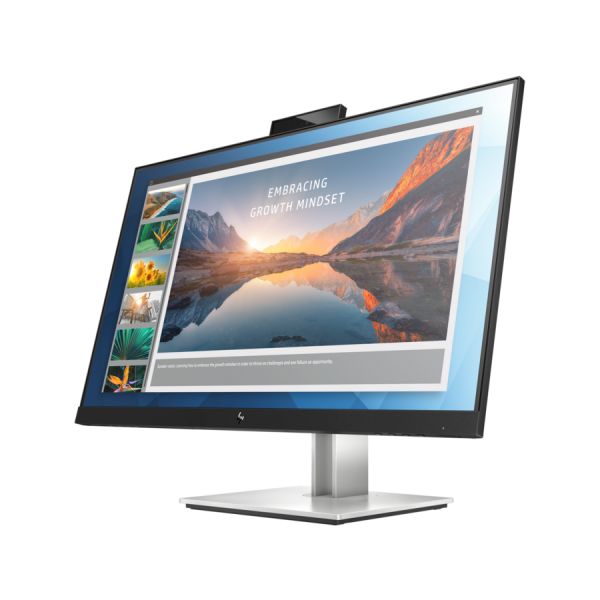
HP E24d G4 24" Class Webcam Full HD LCD Monitor - 16:9 - Black
Product #:
SYNX6347158


 +3
+3View All


Sold Out
This product is sold out and we do not know when we will be getting another shipment. We apologize for any inconvenience this may cause.
Check similar items above to see if a replacement product is available.
Product Description
HP E24d G4 24" Class Webcam Full HD LCD Monitor - 16:9 - Black
23.8" Viewable - In-plane Switching (IPS) Technology - LED Backlight - 1920 x 1080 - 250 Nit - 5 ms - 60 Hz Refresh Rate - HDMI - DisplayPort - USB Hub
nspire joy on your desk with the clean connectivity of the HP E24d G4 FHD Advanced Docking Monitor. Add your everyday accessories at the display, then add your PC with just one USB-C cable. Empower IT to remotely manage HP devices from anywhere on the network through RJ-45.
DRIVE YOUR WORKSPACE FROM USB-C
Connect, charge, and power your PC up to 100W through one USB-C cable, then embrace the easy connectivity of additional ports like USB and RJ-45. Expand to dual displays by daisy-chaining through DisplayPort.
MANAGE DEPLOYMENTS OVER A NETWORK
Help IT secure and remotely manage your deployed commercial HP PCs and the display with advanced network manageability features that include PXE Boot, LAN/WLAN switching, and WoL and MAC Address Pass-Through in all power states.
SIMPLIFY EVERYDAY TASKS
Instantly turn on your display and laptop, even when the lid is closed, with a single button on the display. Login with your face and Windows Hello on the webcam with IR, or use it to videoconference.
Ports for everything
Flexibly connect to your devices through DisplayPort, HDMI, and 4 USB ports. Use upstream USB-C port for data, video, and up to 100W power delivery to your PC and downstream USB-C for data and power delivery up to 15W to your phone.
Take your PC off the desk
Clear your clutter by mounting your HP EliteDesk Mini Desktop PC directly behind the display and powering it through USB-C. Or, lift the whole solution and mount it on a wall or arm.
Find your comfort zone
Work comfortably with adjustable tilt, height, and swivel settings. Use pivot rotation to conveniently customize portrait or landscape views on multiple displays.
Adjust your view
Filter blue light emission and shift colors to a warmer spectrum for more comfortable viewing with HP Low Blue Light mode.
Complete the picture
Customize a total solution with options like the HP S101 Speaker Bar8, which attaches easily to the lower bezel to add stereo audio at the display.
Divide and conquer
Manage your display and make it work for you. HP Display Assistant allows you to quickly resize screen partitions so you can work in separate regions of the screen and helps deter theft by dimming a display that's disconnected without approval.
DRIVE YOUR WORKSPACE FROM USB-C
Connect, charge, and power your PC up to 100W through one USB-C cable, then embrace the easy connectivity of additional ports like USB and RJ-45. Expand to dual displays by daisy-chaining through DisplayPort.
MANAGE DEPLOYMENTS OVER A NETWORK
Help IT secure and remotely manage your deployed commercial HP PCs and the display with advanced network manageability features that include PXE Boot, LAN/WLAN switching, and WoL and MAC Address Pass-Through in all power states.
SIMPLIFY EVERYDAY TASKS
Instantly turn on your display and laptop, even when the lid is closed, with a single button on the display. Login with your face and Windows Hello on the webcam with IR, or use it to videoconference.
Ports for everything
Flexibly connect to your devices through DisplayPort, HDMI, and 4 USB ports. Use upstream USB-C port for data, video, and up to 100W power delivery to your PC and downstream USB-C for data and power delivery up to 15W to your phone.
Take your PC off the desk
Clear your clutter by mounting your HP EliteDesk Mini Desktop PC directly behind the display and powering it through USB-C. Or, lift the whole solution and mount it on a wall or arm.
Find your comfort zone
Work comfortably with adjustable tilt, height, and swivel settings. Use pivot rotation to conveniently customize portrait or landscape views on multiple displays.
Adjust your view
Filter blue light emission and shift colors to a warmer spectrum for more comfortable viewing with HP Low Blue Light mode.
Complete the picture
Customize a total solution with options like the HP S101 Speaker Bar8, which attaches easily to the lower bezel to add stereo audio at the display.
Divide and conquer
Manage your display and make it work for you. HP Display Assistant allows you to quickly resize screen partitions so you can work in separate regions of the screen and helps deter theft by dimming a display that's disconnected without approval.
- LCD Monitor is reliable and offers convenient usage
- 23.8" viewable screen size provides a spectacular viewing experience
- 5 ms response time makes it excellent for latest action films, sports or gaming
- Enjoy crisp content and energetic hues with the 250 Nit brightness
- 23.8" screen size with 1920x1080 resolution provides a native display of a Full HD video sources without any degradation due to down-sampling technologies
- LED backlight technology offers visual brilliance with maximum efficiency
- 1920 x 1080 maximum resolution for a vivid, crystal clear display with added productivity
- 60 Hz standard refresh rate reduces deterioration caused by blurring to ensure maximum productivity
- 16:9 widescreen resolution perfect for watching movies, playing video games and getting on with office work
- HDMI interface allows you to connect to a variety of HD devices including gaming consoles, Blu-ray players, laptop PCs, digital cameras and many others for the ultimate true high-definition display

Product Specifications
-
Aspect Ratio16:9
-
Backlight TechnologyLED
-
Brand NameHP
-
Brightness250 Nit
-
Built-in DevicesUSB Hub
-
Certifications & StandardscTUVus
-
Depth1.9"
-
DisplayPortYes
-
Dynamic Contrast Ratio5,000,000:1
-
Energy Consumption per Year26 kWh
-
Energy Efficiency CertificationChina Energy Conservation Program (CECP)
-
Energy Efficiency ComplianceMinimum Energy Performance Standards (MEPS) E-standby
-
Environmental CertificationTCO Certified Displays 8.0 China Environmental United Certification Center (CEC)
-
Environmental ComplianceWaste Electrical and Electronic Equipment Directive (WEEE)
-
FeaturesAnti-glare Low Blue Light OnScreen Control Plug & Play
-
HDCP SupportedYes
-
HDMIYes
-
Height12.7"
-
Limited Warranty3 Year
-
Manufacturer Part Number6PA50A4#ABA
-
Maximum Resolution1920 x 1080
-
MicrophoneYes
-
Native Contrast Ratio1,000:1
-
Network (RJ-45)Yes
-
Number of DisplayPorts2
-
Number of HDMI Inputs1
-
Number of Screens1
-
Number of USB 3.1 Downstream Ports3
-
Number of USB Ports4
-
Operating Power Consumption18 W
-
Package ContentsE24d G4 FHD Advanced Docking Monitor DisplayPort 1.2 cable HDMI cable Documentation USB Type-C cable QSP AC power cord
-
Pixel Pitch0.27400 mm x 0.27400 mm
-
Product ColorBlack
-
Product ModelE24d G4
-
Product NameE24d G4 FHD Advanced Docking Monitor
-
Product TypeLCD Monitor
-
Response Time5 ms
-
Response Time Details5 ms GTG
-
Screen ModeFull HD
-
Screen Size Class24"
-
Stand AdjustmentsHeight Pivot Swivel Tilt
-
Standard Refresh Rate60 Hz
-
TCO CertifiedYes
-
Total Number of USB Type-C Ports1
-
Viewable Screen Size23.8"
-
WebcamYes
-
Width21.2"
-
Windows Hello CompatibleYes